Category Guide
App Store Optimization for Navigation Apps: Strategy Guide
ASO strategy guide for navigation apps on iOS: use-case keyword research for offline maps, transit, hiking and driving apps.
The Navigation Category Landscape
Apple Maps and Google Maps sit on the generic "maps" and "GPS" searches. The opportunity for indie and mid-tier developers is in specific use-case terms where the giants are too generic to serve the journey well: offline maps for hikers, transit for a particular city, lane-by-lane navigation for trucks, walking maps for tourists. The keyword worth winning usually maps directly to the specific journey your app is built for.
Apple categorises some apps adjacent to Navigation under Travel or Utilities. The page below covers ASO patterns for apps that are genuinely navigation-first; if your app is travel planning or general utility with a maps feature, look at the Travel or Utilities guides instead.
Two kinds of navigation search
Navigation searches fall into two groups: the generic words ("maps", "gps", "navigation") and the use-case phrases ("offline hiking maps", "boat navigation", "truck gps"). The use-case phrases are specific and high intent, and the measured table below puts both groups side by side.
Keyword patterns for Navigation
| Keyword type | Example | Strategy |
|---|---|---|
| Mode-specific | "hiking maps", "cycling navigation", "truck GPS" | A strong starting point: a mode plus maps, GPS or navigation. |
| Geography-specific | "Tokyo subway map", "London transit map" | A city or region you can serve better than a general map. |
| Capability-specific | "offline maps", "GPX viewer", "lane assist" | Pair with a mode: "offline hiking maps". |
| Audience-specific | "navigation for hikers", "GPS for boats" | Differentiates from generalists. High intent. |
| Job-led, no maps prefix | "find a parking spot", "transit app for Paris" | Real searches that don't include "maps". |
24 navigation keywords, measured in the US App Store
Measured by RespectASO on 6 October 2026. Popularity is RespectASO's estimate of how often a keyword is searched compared with others, from 1 to 100. Difficulty, from 1 to 100, says how hard the apps already on top are to pass. "In top 10 names" counts the top ten apps with the keyword in their name. How the numbers work.
| Keyword | Popularity | Difficulty | In top 10 names |
|---|---|---|---|
| Head terms | |||
| maps | 72 | 74 Hard | 6 of 10 |
| gps | 71 | 81 Very Hard | 7 of 10 |
| navigation | 73 | 76 Very Hard | 4 of 10 |
| offline maps | 52 | 53 Moderate | 4 of 10 |
| transit | 73 | 78 Very Hard | 7 of 10 |
| hiking maps | 44 | 52 Moderate | 1 of 10 |
| Features and sub-genres | |||
| gpx viewer | 35 | 32 Easy | 6 of 10 |
| lane assist | 37 | 16 Easy | 0 of 10 |
| truck gps | 57 | 59 Hard | 7 of 10 |
| boat navigation | 50 | 47 Moderate | 2 of 10 |
| cycling navigation | 45 | 44 Moderate | 0 of 10 |
| parking finder | 45 | 53 Moderate | 1 of 10 |
| Audiences and uses | |||
| subway map | 41 | 60 Hard | 4 of 10 |
| bike routes | 44 | 48 Moderate | 1 of 10 |
| trail maps | 52 | 63 Hard | 4 of 10 |
| gps for boats | 50 | 46 Moderate | 0 of 10 |
| navigation for hikers | 34 | 32 Easy | 0 of 10 |
| offline gps | 50 | 61 Hard | 4 of 10 |
| Long-tail phrases | |||
| offline hiking maps | 39 | 51 Moderate | 0 of 10 |
| tokyo subway map | 38 | 35 Easy | 5 of 10 |
| london transit map | 37 | 36 Moderate | 0 of 10 |
| london cycling routes | 34 | 33 Easy | 0 of 10 |
| transit app for paris | 36 | 43 Moderate | 0 of 10 |
| find a parking spot | 36 | 44 Moderate | 0 of 10 |
Difficulty here runs from 16 for "lane assist" to 81 for "gps". 4 of the 24 keywords score 70 or more, and 1 score under 30. The long-tail phrases have a median difficulty of 39, against 75 for the head terms. The highest popularity among keywords under difficulty 50 belongs to "boat navigation": 50, at difficulty 47.
To see what these keywords would bring your own app, and to measure them in any of the 175 storefronts, run them in RespectASO, free on your Mac.
Metadata structure for a Navigation app
- Title (30 chars): brand + the mode/use-case. Example: "Trailwise: Offline Hiking Maps".
- Subtitle (30 chars): the specific job or differentiator (offline, GPX, audience).
- Keyword field (100 chars): mode + capability + geography terms, no spaces after commas, no duplicates of words already in title.
Use the title, subtitle, and keyword field counters when validating, then audit the bundle with the metadata checker.
Common mistakes in Navigation category ASO
- Targeting "maps" or "GPS" alone. Check their rows in the measured table first, then pair them with a mode or a place.
- Skipping the offline keyword if your app supports offline. "Offline" is one of the highest-intent modifiers in Navigation.
- Treating Navigation as one market. Hikers, boaters, truck drivers, transit users, and tourists are different audiences with different language. Pick one and own it.
- Generic geography terms without depth. "London map" is broad; "London transit map" or "London cycling routes" says what the app does, and both are in the measured table.
- Forgetting localization. Geography-led keywords are local by definition. Use the Country Opportunity Finder to pick storefronts where your geography terms have demand.
How RespectASO supports Navigation app ASO
- Use multi-keyword search to validate mode + capability + geography candidates.
- Run geography-led keywords through the Country Opportunity Finder: storefront fit is critical for navigation apps.
- Use the Top 10 competitor data to study how niche navigation apps positioned their listings.
- Track ranks after launch and iterate seasonally where relevant (hiking peaks in summer, transit in shoulder season).
FAQ
Should I list every supported region in the keyword field?
No. The 100-character budget is small. Use the keyword field for your strongest mode + capability terms; cover region depth in the description and screenshots, and consider per-locale metadata for the storefronts you most want to win.
How does this differ from the Travel guide?
Navigation is map and routing first; Travel is itinerary and trip planning first. If your app is "find the route" or "view the map", you're navigation. If it's "plan the trip", you're travel. The Travel category guide covers the latter.
What about offline-first navigation apps?
Lean hard into "offline" as a positioning term in subtitle and keyword field. Offline is a real differentiator and a search modifier users actively type when they're planning trips with poor connectivity.
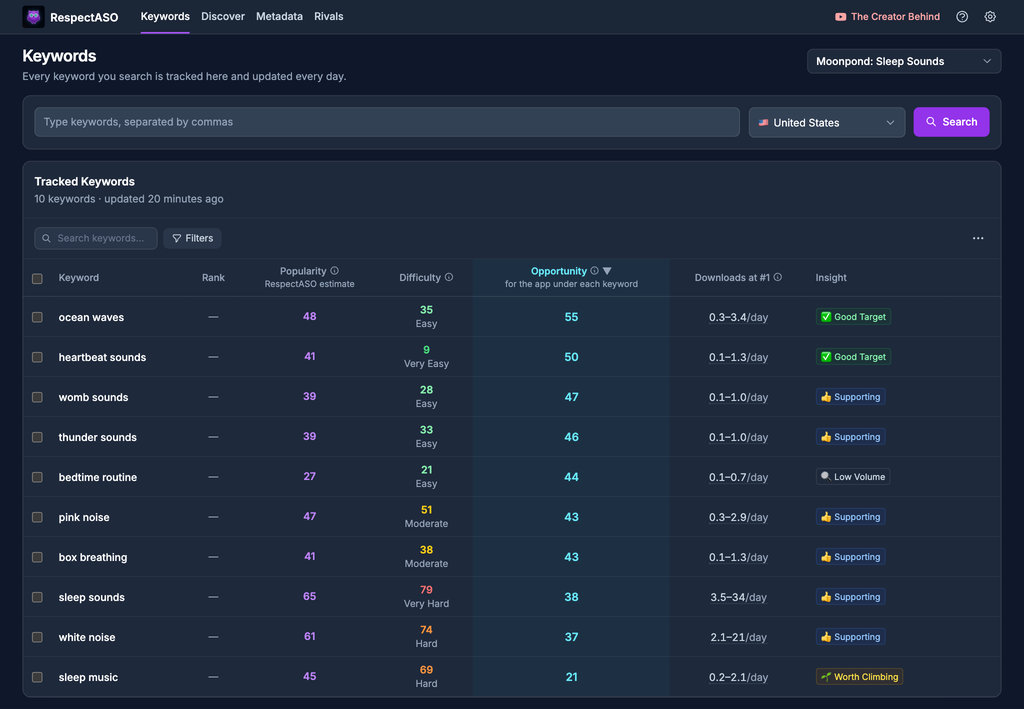
Keyword research in RespectASO: a score and a tag for every keyword
Optimize Your Navigation App
Use RespectASO to research keywords and build a data-driven ASO strategy for Navigation apps.