ASO keyword research for your Mac
Research keywords, compare competitors and scan App Store markets. No account, no signup.
Opens on Apps: add your first app and it starts reading.
Requires macOS 12 (Monterey) or later · Apple Silicon (M1 or later)
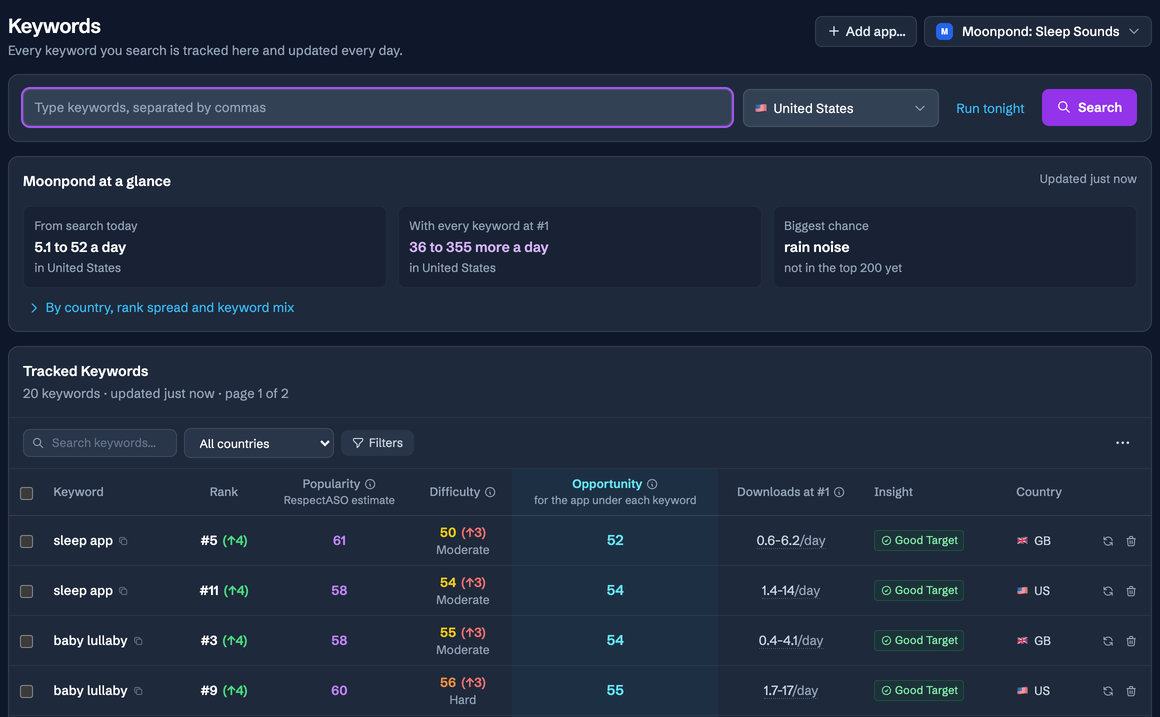
What you can do right after install
RespectASO gives you the practical ASO workflow: keyword scoring, market discovery, competitor context, and rank tracking.
Find realistic keywords
Search keywords across up to 5 countries, then compare popularity, difficulty, competitors, and opportunity labels.
Scan 175 App Store storefronts
Enter one keyword and see which countries combine stronger demand with lower competition before you localize.
See who you are up against
Open keyword results to inspect ranking competitors, track your own app, and export research when you need a spreadsheet.
Momentum is building
You are in good company: builders pick up RespectASO every week. The button above has you covered.
Installation
Download
Click Download free for Mac at the top of this page.
Install
Open the .dmg and drag RespectASO to your Applications folder.
Launch
Open RespectASO from Applications. Then search your first keywords.
Getting Started walks through your first keyword search, the keyword research guide shows how to choose keywords worth targeting, and the FAQ answers common questions.
Not on macOS? Use Docker
On Linux or Windows, run the open source edition in Docker and use it in your browser. The AI features need the Mac app.
docker pull ghcr.io/respectlytics/respectaso:latest
Full setup instructions on GitHub.
Prefer building from source?
RespectASO is open-source under AGPL-3.0. Clone the repository, install dependencies, and run locally.
View on GitHub