App Store Optimization for Education Apps: Strategy Guide
ASO strategy guide for educational apps. Keyword research for learning apps, student targeting, and metadata optimization for the education category.
The Education Category Landscape
Education is one of the most varied App Store categories, from language learning and math practice to university study tools and learning games for children. That variety splits the category into sub-niches by age, subject and learning format, and each one has its own searches.
Intent differs a lot inside the category. A parent searching for "kids math" expects something different from a college student searching for "flashcard app" or an adult searching for "spanish lessons for beginners". Which of these people you serve decides your whole keyword strategy.
Keyword Patterns in Education
Subject Keywords
Subject keywords are the backbone of education ASO, because people search by what they want to learn:
- Languages: "learn spanish", "english vocabulary", "language learning"
- Math: "math practice", "algebra", "multiplication", "times table practice"
- Science: "chemistry", "anatomy", "physics"
- Music: "music theory"
- Study and exams: "test prep", "homework help", "study"
Here is how those subjects, and the audiences and phrases around them, measured in the US App Store:
24 education keywords, measured in the US App Store
Measured by RespectASO on 6 October 2026. Popularity is RespectASO's estimate of how often a keyword is searched compared with others, from 1 to 100. Difficulty, from 1 to 100, says how hard the apps already on top are to pass. "In top 10 names" counts the top ten apps with the keyword in their name. How the numbers work.
| Keyword | Popularity | Difficulty | In top 10 names |
|---|---|---|---|
| Head terms | |||
| learn spanish | 65 | 77 Very Hard | 3 of 10 |
| flashcard app | 46 | 32 Easy | 1 of 10 |
| math practice | 40 | 64 Hard | 1 of 10 |
| kids math | 48 | 66 Hard | 4 of 10 |
| english vocabulary | 54 | 66 Hard | 2 of 10 |
| study | 60 | 73 Hard | 5 of 10 |
| Features and sub-genres | |||
| algebra | 48 | 53 Moderate | 6 of 10 |
| multiplication | 60 | 64 Hard | 7 of 10 |
| chemistry | 41 | 39 Moderate | 5 of 10 |
| anatomy | 59 | 62 Hard | 10 of 10 |
| physics | 38 | 40 Moderate | 7 of 10 |
| music theory | 52 | 41 Moderate | 4 of 10 |
| Audiences and uses | |||
| kids reading | 47 | 67 Hard | 2 of 10 |
| preschool learning | 47 | 67 Hard | 2 of 10 |
| college study | 49 | 50 Moderate | 1 of 10 |
| test prep | 54 | 62 Hard | 6 of 10 |
| homework help | 56 | 69 Hard | 5 of 10 |
| language learning | 71 | 82 Very Hard | 9 of 10 |
| Long-tail phrases | |||
| times table practice | 32 | 10 Very Easy | 1 of 10 |
| spanish lessons for beginners | 41 | 37 Moderate | 1 of 10 |
| english vocabulary builder | 26 | 42 Moderate | 2 of 10 |
| math games for kids | 45 | 71 Hard | 2 of 10 |
| anatomy flashcards for students | 28 | 35 Easy | 0 of 10 |
| learn to read for kids | 29 | 54 Moderate | 0 of 10 |
Difficulty here runs from 10 for "times table practice" to 82 for "language learning". 4 of the 24 keywords score 70 or more, and 1 score under 30. The long-tail phrases have a median difficulty of 39, against 66 for the head terms. The highest popularity among keywords under difficulty 50 belongs to "music theory": 52, at difficulty 41.
To see what these keywords would bring your own app, and to measure them in any of the 175 storefronts, run them in RespectASO, free on your Mac.
Compare the subject rows with the audience and long-tail rows. Where a qualified phrase such as "math games for kids" sits well below the bare subject, that phrase is the better place for your title or subtitle.
Age and Audience Keywords
Education apps gain a lot from words that say who the app is for. An age group or a level narrows the search to people your app actually serves:
- "Kids" plus a subject: "kids math", "kids reading", searched by parents looking for children's apps
- "Preschool": "preschool learning", for the youngest learners and their parents
- "College": "college study", for adult learners
- "Beginner" or "advanced": level words that match a learner's stage
Method and Format Keywords
People also search by how they learn: "flashcard", "quiz", "practice", "study guide". These words cut across subjects, and Apple's search algorithm combines them with the subject words in your title and subtitle, so one format word in the keyword field can match many searches.
Metadata Optimization for Education Apps
Title: Subject and Format
Strong education titles pair the subject with the format: "Chem Pro: Chemistry Flashcards" or "MathKids: Times Table Practice". Users see at once what they will learn and how. Use the 30-character subtitle for the audience or the main feature: "For Kids Ages 5-10" or "Practice and Quiz Mode".
Keyword Field: Synonyms and Adjacent Subjects
Fill the keyword field with subject synonyms and neighbouring topics. A math app can add "arithmetic", "numeracy" and "calculation", plus method words like "quiz", "practice" and "tutor". Don't repeat any word already in your title or subtitle.
Common ASO Mistakes in Education
- Targeting "education" or "learning": these words describe the whole category, not your app. Name your subject, audience and format instead, and check the bare subject words in the table before you lead with them.
- Screenshots that hide the age group: parents judging a children's app need to see age-appropriate content at once. Screenshots should show the target age through design, content level and how simple the interface is.
- Missing the calendar: study searches follow the school year (August and September in the US, different elsewhere), and language learning follows New Year resolutions in January. Plan metadata updates around those dates.
- Not localizing for language learners: if you teach English, your biggest market may be where English is being learned. Japan, South Korea, Brazil and Turkey all have large audiences of English learners searching in their own language.
Competitor Landscape
The broad education searches are where the best-known apps sit: Duolingo for languages, Khan Academy for school subjects, Photomath for math help. The category splits heavily by niche, though, and apps built for one exam, one certification or one unusual subject meet a different set of rivals. Competitor analysis should find the niches the big apps don't cover.
International Opportunity
Language learning and universal subjects like math and science travel well. The Country Opportunity Finder is especially useful here: run your subject keywords across markets like India, Indonesia and Latin America, and see where they are searched often and still within reach.
How RespectASO Helps
Education apps gain from testing many combinations of subject, audience and format. Use Multi-Keyword Search to score subject terms, audience words and method keywords together, then find the markets where your subject keywords look strongest and build localized metadata for them.
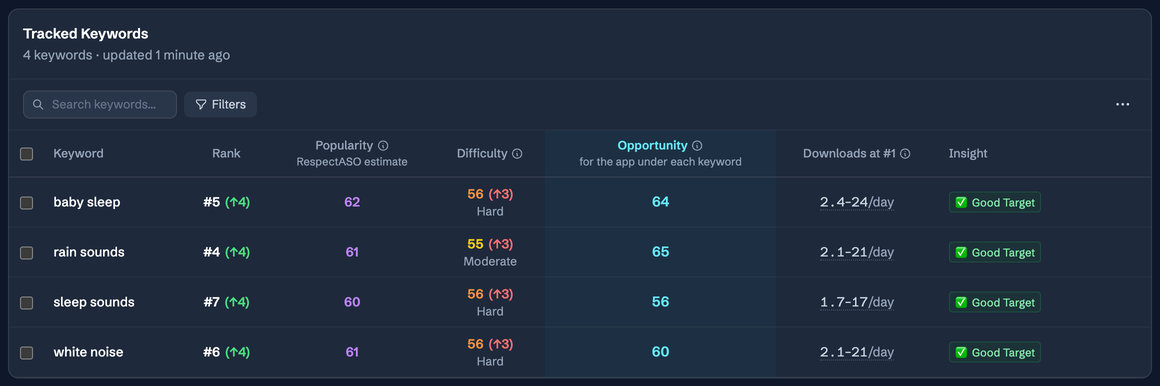
Keyword research in RespectASO: a score and a tag for every keyword
Optimize Your Education App
Use RespectASO to research keywords and build a data-driven ASO strategy for Education apps.