Category Guide
App Store Optimization for Productivity Apps: Strategy Guide
ASO strategy guide for productivity apps. Keyword research for task management, note-taking, and workflow tools with competition analysis and metadata tips.
The Productivity Category Landscape
Productivity apps help people get things done: task managers, notes, calendars, timers, document tools and team planners. People arrive with a clear, practical goal: a tool that fits their workflow, organizes their day or helps them finish a specific job.
What sets productivity apart is that people search for methods as well as functions. Alongside "to do list" and "notes" they type "pomodoro", "kanban" or "gtd", which gives the category a richer set of keywords than most, from broad words to very specific ones.
Keyword Patterns in Productivity
Functional Keywords
- Core functions: "to do list", "notes", "calendar", "reminder", "timer", "planner"
- Specific tools: "habit tracker", "time tracker", "mind map", "pdf editor"
- Teams and work: "team planner", "meeting notes", "project management"
Methodology Keywords
Fans of a method search for apps built around it, and they know exactly what they want when they do:
- GTD (Getting Things Done): "gtd", "gtd task management"
- Pomodoro: "pomodoro", "pomodoro timer and focus", "focus timer for studying"
- Kanban: "kanban"
- Bullet journal: "bullet journal"
- Time blocking: "time block planner", "daily schedule planner"
Here is how the functions, the tools and the methods measured in the US App Store:
24 productivity keywords, measured in the US App Store
Measured by RespectASO on 6 October 2026. Popularity is RespectASO's estimate of how often a keyword is searched compared with others, from 1 to 100. Difficulty, from 1 to 100, says how hard the apps already on top are to pass. "In top 10 names" counts the top ten apps with the keyword in their name. How the numbers work.
| Keyword | Popularity | Difficulty | In top 10 names |
|---|---|---|---|
| Head terms | |||
| to do list | 58 | 77 Very Hard | 5 of 10 |
| notes | 66 | 81 Very Hard | 8 of 10 |
| calendar | 67 | 80 Very Hard | 9 of 10 |
| reminder | 66 | 73 Hard | 4 of 10 |
| timer | 66 | 78 Very Hard | 7 of 10 |
| planner | 65 | 76 Very Hard | 7 of 10 |
| Features and sub-genres | |||
| pomodoro | 58 | 58 Hard | 5 of 10 |
| habit tracker | 59 | 74 Hard | 8 of 10 |
| time tracker | 54 | 64 Hard | 5 of 10 |
| mind map | 48 | 41 Moderate | 8 of 10 |
| kanban | 39 | 37 Moderate | 7 of 10 |
| pdf editor | 63 | 73 Hard | 8 of 10 |
| Audiences and uses | |||
| team planner | 50 | 56 Hard | 2 of 10 |
| meeting notes | 51 | 46 Moderate | 3 of 10 |
| bullet journal | 46 | 57 Hard | 6 of 10 |
| project management | 55 | 70 Hard | 1 of 10 |
| student planner | 45 | 45 Moderate | 3 of 10 |
| gtd | 37 | 40 Moderate | 6 of 10 |
| Long-tail phrases | |||
| pomodoro timer and focus | 25 | 37 Moderate | 0 of 10 |
| gtd task management | 34 | 19 Easy | 0 of 10 |
| time block planner | 24 | 31 Easy | 3 of 10 |
| daily schedule planner | 46 | 53 Moderate | 1 of 10 |
| focus timer for studying | 31 | 47 Moderate | 0 of 10 |
| to do list with reminders | 26 | 55 Moderate | 0 of 10 |
Difficulty here runs from 19 for "gtd task management" to 81 for "notes". 9 of the 24 keywords score 70 or more, and 1 score under 30. The long-tail phrases have a median difficulty of 42, against 77 for the head terms. The highest popularity among keywords under difficulty 50 belongs to "meeting notes": 51, at difficulty 46.
To see what these keywords would bring your own app, and to measure them in any of the 175 storefronts, run them in RespectASO, free on your Mac.
The core functions in the head rows are what every productivity app competes for. If the method and long-tail rows read far easier, an app built around one method can lead with it and still match the broader words through Apple's combining of title, subtitle and keyword field.
Platform and Integration Keywords
Productivity users often look for tools that fit their existing setup: "calendar sync", "shortcuts", "widget". If your app supports these, they bring people who are close to choosing.
Metadata Optimization for Productivity Apps
Function in the Title, Method in the Subtitle
Productivity titles work best with the brand and the function: "Tasker: To Do List and Planner". The subtitle can then name the approach, "Pomodoro Timer and Focus" or "GTD Task Management", which reaches both broad searchers and people who want that method.
Power-User Keywords for the Keyword Field
Productivity users search for features. Fill your keyword field with feature words: "recurring", "subtask", "template", "export", "tag", "filter", "archive", "widget", "shortcut". Each one combines with your title and subtitle words to match longer searches.
Common ASO Mistakes in Productivity
- Targeting only "to do list" or "notes": every productivity app wants these. Check them in the table, then lead with what makes your approach different: the method, the feature set or the audience.
- Feature lists in screenshots: Screenshots should show results, not lists. Show a filled task board, a finished focus session or an organized set of notes.
- Ignoring the Business crossover: many productivity apps serve personal and work use. Research work keywords too ("project management", "team planner", "meeting notes"); people don't search by category.
- No widget screenshots: widgets set productivity apps apart. If yours has them, show them, because people who search for "widget" expect to see one.
Competitor Landscape
Productivity has strong apps at every level: Notion, Todoist, Things, Bear, Fantastical and Obsidian all reach for overlapping keywords. It is also a personal category, and people hold strong views about method and workflow. Apps that serve one approach deeply (pure kanban, minimal Markdown notes, a timer built only for Pomodoro) can build a loyal following. Competitor analysis should look for the methods the big apps serve poorly.
International Opportunity
Method words like "pomodoro" and "kanban" are often searched in English even in other storefronts, which lets an English-language productivity app rank abroad. South Korea, Japan and Germany are worth checking first. The Country Opportunity Finder compares your niche keywords there with the US.
How RespectASO Helps
Productivity keywords come in several kinds: functions, methods, features and integrations. Use Multi-Keyword Search to score candidates of every kind together and find the Sweet Spots, then use the Country Opportunity Finder to see where your strongest keywords have the best chance abroad.
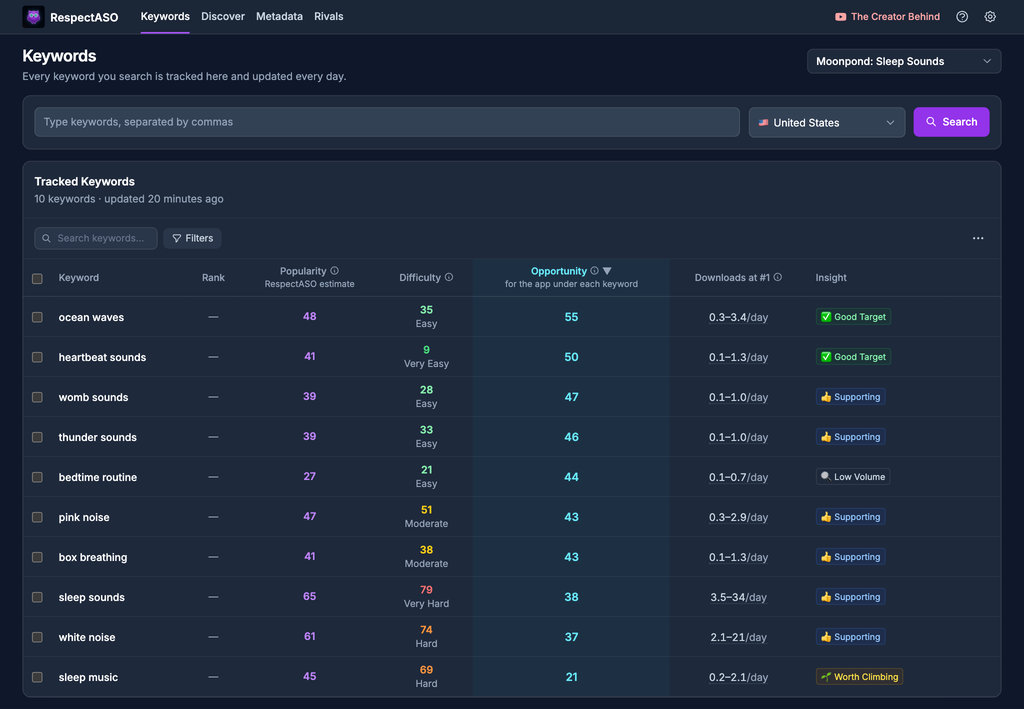
Keyword research in RespectASO: a score and a tag for every keyword
Optimize Your Productivity App
Use RespectASO to research keywords and build a data-driven ASO strategy for Productivity apps.