Your routine
RespectASO reads the App Store for you. What is left for you is short, and this page says what it is, by beat.
The same routine is in the app: open the question mark at the top right and choose Your routine, or click Your routine beside the title of the Apps page. Why this pace works, and what ASO as a routine looks like: ASO as a routine: every day, every week, every release.
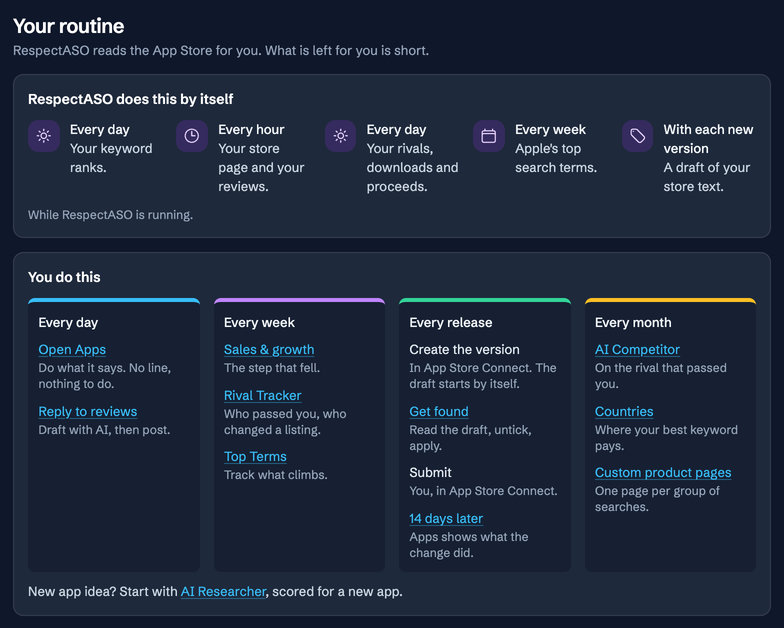
RespectASO does this by itself
- Every hour: your store page and your reviews.
- Every day: your keyword ranks, your rivals, your downloads and your proceeds.
- Every week: Apple's top search terms.
- With each new version: a draft of your store text.
All of it while RespectASO is open or in the menu bar. Everything it finds lands on one page, Apps.
Every day
- Open Apps. Do what it says. No line, nothing to do. Every line and what its button opens: the Apps page.
- Reply to reviews. Draft with AI, then post: replying to reviews.
Every week
- Sales & growth. The step that fell, from seen to paid: Sales & growth.
- Rival Tracker. Who passed you, who changed a listing: Rival Tracker.
- Top Terms. Track what climbs: Top Search Terms.
Every release
- Create the version in App Store Connect. The draft starts by itself.
- Get found. Read the draft, untick, apply: Get found.
- Submit. You, in App Store Connect.
- 14 days later, Apps shows what the change did.
A store text change shows its effect over 14 days, so one change per release keeps every result readable.
Every month
- AI Competitor. On the rival that passed you: AI features.
- Countries. Where your best keyword pays: keyword research.
- Custom product pages. One page per group of searches: custom product pages.
New app idea? Start with the AI Niche Researcher, scored for a new app: AI features.